
For many people, when they need a timer they simply reach for their smartphone or call out to a voice assistant (“Hey Alexa, set a timer for 20 minutes”).
Digital countdown timers can be helpful, yet are missing a crucial element that transforms how we manage time: visual representation of time passing.
These can help with time blocking in daily routines to eliminating distractions during deep work and other important tasks. Keeping a visual timer in your visual field for any amount of time effectively offers you a better sense of time.
Visual Timers vs. Audio-Only Timers
Voice assistants like Alexa offer hands-free convenience without stopping what you’re doing, without looking at a screen, and without even touching a device.
However, audio-only timing makes time invisible. Here, the inconveniences stack up, as you’ll need to ask “Alexa, how much time is left?” and have to internally keep track of the passage of time between these check-ins.
Other potential problems include:
Visual timers keep you in the loop about how much time is left, when the audio alert is coming (on Time Timer visual timers, there is an optional audio alert, so you can have a silent end to the noiseless countdown).


Problems with the Smartphone Solution
Since smartphones are pretty much always within reach for many people, there is a nice convenience here.
However, these are smartphones after all, which means there are distractions galore to worry about. Checking the phone timer exposes one to notifications, messages, and of course the temptation to quickly type in your password and check social media, email, or just do a random internet search.
What should be a simple time check becomes a productivity derailment.
Phone timers’ numerical countdown, displaying time as abstract numbers that require mental processing, is not as immediate as the elapsing disk of Time Timer visual timers.
Visual Timers’ Advantage: Seeing Time Changes Everything
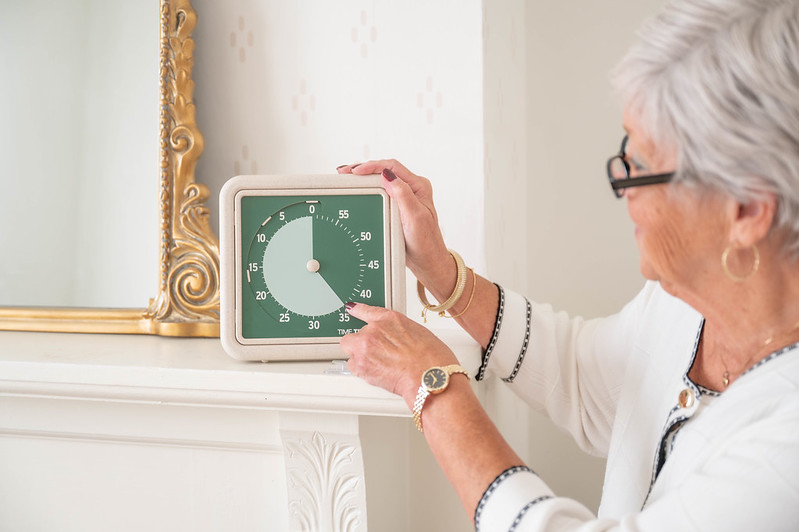
Seeing a red disk gradually elapse creates temporal landmarks, clear intuitive markers that help us understand our position in time.
Other advantages include:


Practical Applications for Visual Timers: Stay Focused for a Block of Time
Visual Time Processing Is Just Easier
Visual timers can feel easier to use because it requires less mental effort to understand and register how much time is remaining.
The reduction in cognitive load allows more mental resources to be devoted to the actual task at hand rather than time monitoring and calculation.
Setting Time Timer visual timers are easy: simply twist the disk to your desired time, then let it count down from there. Operation is silent, making it ideal for situations where silence is important for focus.
Making the Case for Physical Visual Timers
Time Timer visual timers are made for the purpose of keeping you on track in a timed task. Unlike digital devices, these timers offer no temptations or distraction.
Apps may provide visual countdown displays, but since visual timers exist in the physical space where work happens, it can be beneficial to have constant peripheral awareness without screen glare, battery concerns, or digital distractions.
Physical timers can also serve as environmental cues that signal focused work time to others.
Also, when colleagues see a visual timer on a desk, they understand you’re in focused work mode without needing explanation.
